Week 4 Tutorial: Inheritance and Composition
Problem 1: The Animal Kingdom
A zoo is building a simple tracking system. They already have a base Animal class and need a Dog class that inherits from it.
- Create a class
Animalwith an__init__method that acceptsnameandsound, and stores them as instance attributes. - Add a method
speaktoAnimalthat prints:<name> says <sound>! - Create a class
Dogthat inherits fromAnimal. - The
Dogclass’s__init__should acceptnameandbreed, call the parent’s__init__withnameand the sound"Woof", and storebreedas an instance attribute. - Add a method
infotoDogthat prints:<name> is a <breed>
Input
dog = Dog("Buddy", "Labrador")
dog.speak()
dog.info()
Expected Output
Buddy says Woof!
Buddy is a Labrador
Problem 2: Employee Roster
A company needs a simple employee system. There is a base Employee class, and a Manager class that extends it with override behavior.
- Create a class
Employeewith an__init__that acceptsnameandsalary, and stores them as instance attributes. - Add a method
describetoEmployeethat prints:<name>, salary: <salary> - Create a class
Managerthat inherits fromEmployee. - The
Managerclass’s__init__should acceptname,salary, anddepartment, call the parent’s__init__, and storedepartmentas an instance attribute. - Override the
describemethod inManagerso it first calls the parent’sdescribe, then prints:Department: <department>
Input
e = Employee("Ali", 5000)
m = Manager("Nilufar", 9000, "Engineering")
e.describe()
print("---")
m.describe()
Expected Output
Ali, salary: 5000
---
Nilufar, salary: 9000
Department: Engineering
Problem 3: Smart Home
A smart home system is made up of individual devices. Each device has a name and can be turned on or off. A House brings multiple devices together and can report the status of the entire home.
Design the following classes:
Device— storesnameand tracks whether it is on or off. Providesturn_on(),turn_off(), andstatus()(returns"<name>: ON"or"<name>: OFF").SmartLight(Device)— a device with an additionalbrightnesslevel (integer, 0–100). Overridesstatus()to also show brightness, but only when the light is on.House— accepts anameand holds a list of devices. Providesadd_device(device)andreport()which prints the house name followed by the status of every device, each on its own line.
Input
light = SmartLight("Living Room Light", 75)
fan = Device("Ceiling Fan")

light.turn_on()

house = House("My Home")
house.add_device(light)
house.add_device(fan)
house.report()
Expected Output
My Home
Living Room Light: ON (brightness: 75)
Ceiling Fan: OFF
Problem 4: Media Library
A streaming service organizes its catalog of media. Every item shares common traits, but books and audiobooks have additional details. A Library manages the full collection.
Media— hastitleandyear. Itsinfo()returns"<title> (<year>)".Book(Media)— addsauthor. Itsinfo()extends the parent’s result with" by <author>".AudioBook(Book)— addsnarrator. Itsinfo()extends the parent’s result with", narrated by <narrator>".Library— hasnameand manages a collection of media items. Providesadd(media)andcatalog()which prints the library name, then each item’sinfo()on its own line.
Each level of info() should build on the previous using super().
Input
m = Media("Interstellar OST", 2014)
b = Book("Clean Code", 2008, "Robert C. Martin")
a = AudioBook("Dune", 1965, "Frank Herbert", "Scott Brick")

lib = Library("City Library")
lib.add(m)
lib.add(b)
lib.add(a)
lib.catalog()
Expected Output
City Library
Interstellar OST (2014)
Clean Code (2008) by Robert C. Martin
Dune (1965) by Frank Herbert, narrated by Scott Brick
Problem 5: Package Processing Pipeline
A logistics company processes packages through different stations. Each station performs a step and then delegates to the next handler in the chain via cooperative super() calls.
Handler— base class. Itsprocess(package)prints"Handling <label>".Scanner(Handler)— prints"Scanning <label>", then delegates up.Weigher(Handler)— prints"Weighing <label>: <weight>kg", then delegates up.AutomatedStation(Scanner, Weigher)— combines both capabilities. Prints"--- Automated Station ---", then delegates up.Package— haslabelandweight.Warehouse— hasnameand a list of stations. Providesadd_station(station)andprocess_package(package)which prints the warehouse name, then runs the package through every station.
Input
pkg = Package("PKG-001", 3.5)

auto = AutomatedStation()
manual = Scanner()

wh = Warehouse("Central Hub")
wh.add_station(auto)
wh.add_station(manual)
wh.process_package(pkg)
Expected Output
Central Hub
--- Automated Station ---
Scanning PKG-001
Weighing PKG-001: 3.5kg
Handling PKG-001
Scanning PKG-001
Handling PKG-001
Problem 6: Shopping Cart
An online store needs a cart system. Items have prices, some items are discounted, and the system must gracefully reject bad data.
Item— hasnameandprice. Thepricemust be protected with a property that raisesValueErrorif set to a negative value. Supports__str__(format:"<name>: $<price>"with 2 decimal places) and__eq__(two items are equal if they share the same name). Has acost()method that returns the price.DiscountedItem(Item)— addsdiscount(a float between 0 and 1). Overridescost()to apply the discount. Overrides__str__to show original and final price (format:"<name>: $<price> -> $<cost> (-<percent>%)").Cart— holds items via composition. Supportsadd(item),__len__(number of items),__add__(merging two carts into a new one),total()(sum of all item costs), andsummary()(prints each item then a total line).load_cart(data)— a standalone function that takes a list of dictionaries, creates the appropriateItemorDiscountedItemfor each entry, catches anyValueError, prints a skip message, and returns a filledCart.
Input
data1 = [
    {"name": "Laptop", "price": 1000},
    {"name": "Mouse", "price": -50},
    {"name": "Keyboard", "price": 75, "discount": 0.2},
]
data2 = [
    {"name": "Monitor", "price": 300, "discount": 0.1},
]

cart1 = load_cart(data1)
cart2 = load_cart(data2)

merged = cart1 + cart2
merged.summary()
Expected Output
Skipped: Price cannot be negative: -50
Laptop: $1000.00
Keyboard: $75.00 -> $60.00 (-20%)
Monitor: $300.00 -> $270.00 (-10%)
Total: $1330.00 (3 items)
Problem 7: Dungeon Crawler
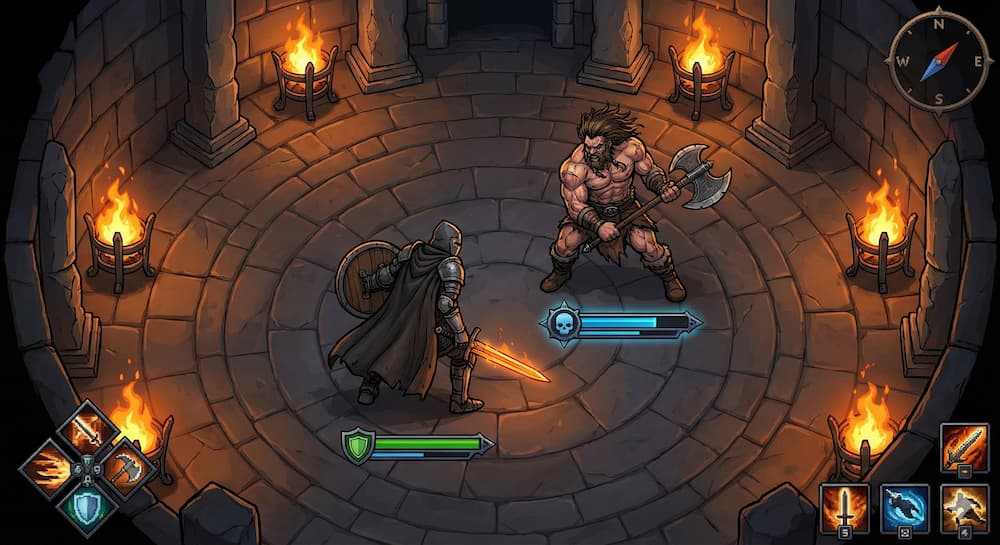
A text-based RPG needs a character and combat system. Design it using inheritance and composition.
Composition pieces:
Weapon— hasnameandpower(int). Methodstrike()returns the power value.Shield— hasnameandblock_value(int). Methodblock(damage)returns the damage reduced byblock_value(minimum 0).
Character hierarchy:
Character— hasname,hp(int), and an optionalweapon(starts asNone).equip(weapon)— sets the character’s weapon.attack(other)— if a weapon is equipped, callsother.take_damage(weapon.strike())and prints:<name> attacks <other.name> for <damage> damage; if no weapon, prints:<name> has no weapon!take_damage(amount)— reduceshpbyamount(minimum 0). Prints:<name> takes <amount> damage (<hp> HP remaining)is_alive()— returnsTrueifhp > 0.
Knight(Character)— adds ashieldattribute (starts asNone).equip_shield(shield)— sets the knight’s shield.- Overrides
take_damage: if a shield is equipped, uses the shield’sblock()to reduce the incoming damage first, then calls the parent’stake_damagewith the reduced amount.
Berserker(Character)— adds arageattribute (starts at 0).- Overrides
attack: ifrage >= 5and a weapon is equipped, callsrage_strike(other)instead of a normal attack. Otherwise, calls the parent’sattack, then increasesrageby 2. - Overrides
take_damage: calls the parent’stake_damage, then increasesrageby 1. rage_strike(other)— if a weapon is equipped, dealsweapon.strike() + ragedamage tootherviaother.take_damage(), prints<name> RAGE STRIKES <other.name> for <total_damage> damage, then resetsrageto 0. If no weapon, prints:<name> has no weapon!
- Overrides
Composition container:
Arena— hasname. Methodduel(c1, c2)prints the arena name, then simulates rounds: in each roundc1attacksc2, then ifc2is still alive,c2attacksc1. Rounds repeat until one character falls. After the loop, prints:Winner: <name>
Input
sword = Weapon("Iron Sword", 15)
axe = Weapon("Battle Axe", 20)
buckler = Shield("Buckler", 8)

knight = Knight("Arthas", 50)
knight.equip(sword)
knight.equip_shield(buckler)

berserker = Berserker("Grom", 50)
berserker.equip(axe)

arena = Arena("Thunderdome")
arena.duel(knight, berserker)
Expected Output
Thunderdome
Arthas attacks Grom for 15 damage
Grom takes 15 damage (35 HP remaining)
Grom attacks Arthas for 20 damage
Arthas takes 12 damage (38 HP remaining)
Arthas attacks Grom for 15 damage
Grom takes 15 damage (20 HP remaining)
Grom attacks Arthas for 20 damage
Arthas takes 12 damage (26 HP remaining)
Arthas attacks Grom for 15 damage
Grom takes 15 damage (5 HP remaining)
Grom RAGE STRIKES Arthas for 27 damage
Arthas takes 19 damage (7 HP remaining)
Arthas attacks Grom for 15 damage
Grom takes 15 damage (0 HP remaining)
Winner: Arthas
Problem 8: Robot Race

A robotics competition simulates a race on a straight track. Different robot types have different movement strategies. The one that crosses the finish line first wins — but burning fuel too fast might leave you stranded.
Composition pieces:
Battery— hascapacity(int) andcharge(starts equal to capacity).use(amount)— ifcharge >= amount, reduces charge and returnsTrue; otherwise returnsFalse.is_empty()— returnsTrueifcharge <= 0.
Robot hierarchy:
Robot— hasname,position(starts at 0), and abattery(composition).move()— tries to use 1 charge from the battery. If successful, increases position by 1 and prints:<name> moves to position <position>. Otherwise prints:<name> is out of charge!
TurboBot(Robot)— a fast but fuel-hungry robot.- Overrides
move(): tries to use 2 charge. If successful, increases position by 3 and prints the move message. Otherwise prints the out-of-charge message.
- Overrides
SteadyBot(Robot)— a consistent robot that rests every 3rd move to conserve energy.- Has an internal
_step_count(starts at 0). - Overrides
move(): increments_step_countby 1. If_step_countequals 3, prints<name> restsand resets_step_countto 0 (no charge used, no movement). Otherwise, tries to use 1 charge; if successful, increases position by 2 and prints the move message. Otherwise prints the out-of-charge message.
- Has an internal
Race simulation:
Racetrack— hasnameandfinish_line(int).race(robots)— prints=== <name> (finish: <finish_line>) ===, then simulates rounds starting from 1:- Print
-- Round <n> -- - Each robot calls
move() - If any robot’s position
>= finish_line, printWinner: <name>and stop - If all robots’ batteries are empty, print
No one finished!and stop
- Print
Input
blaze = TurboBot("Blaze", Battery(4))
pixel = SteadyBot("Pixel", Battery(6))

track = Racetrack("Robo Rally", 7)
track.race([blaze, pixel])
Expected Output
=== Robo Rally (finish: 7) ===
-- Round 1 --
Blaze moves to position 3
Pixel moves to position 2
-- Round 2 --
Blaze moves to position 6
Pixel moves to position 4
-- Round 3 --
Blaze is out of charge!
Pixel rests
-- Round 4 --
Blaze is out of charge!
Pixel moves to position 6
-- Round 5 --
Blaze is out of charge!
Pixel moves to position 8
Winner: Pixel